1 of 7
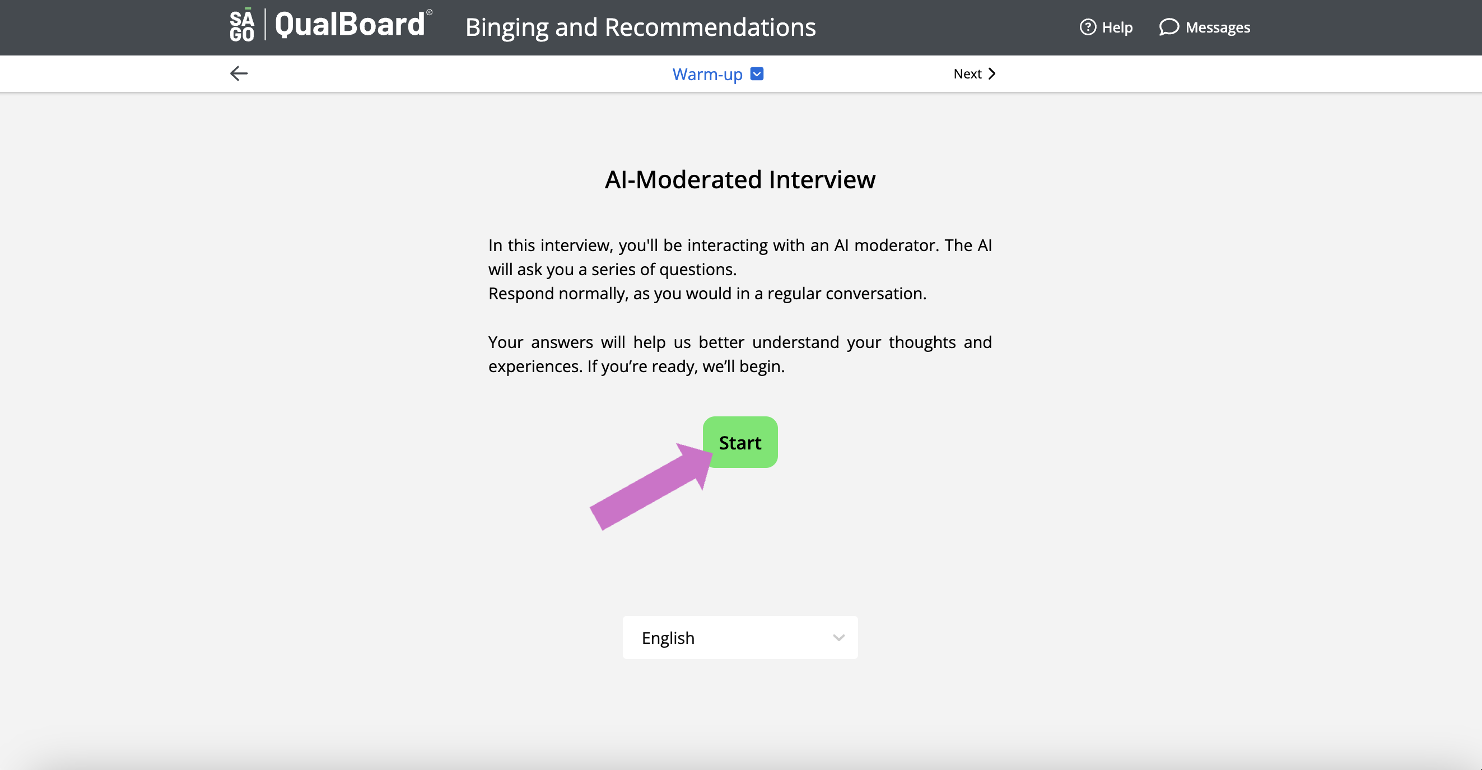
Before every AI Moderated section, you'll see a notice informing you that you're about to interact with an AI Interviewer. Once you're ready to begin, click Start.
You're well on your way! Click Next for the next step.
2 of 7
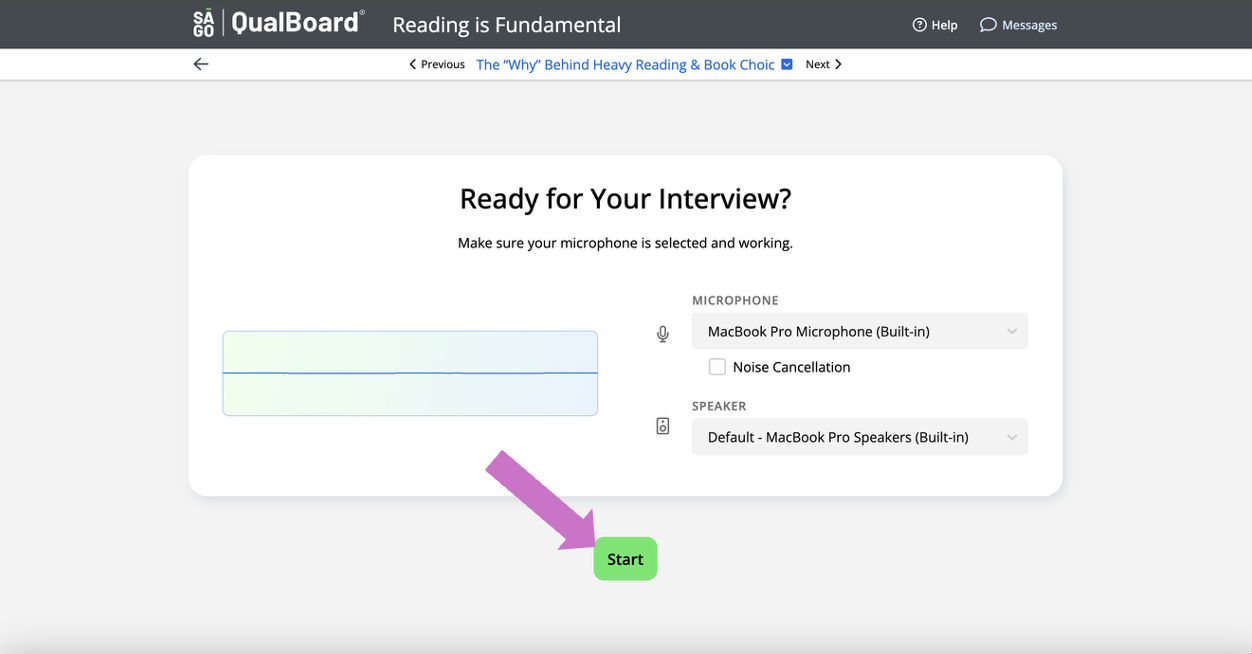
Before beginning, select the microphone you want to use for the interview. Once you're ready, click Start.
3 of 7
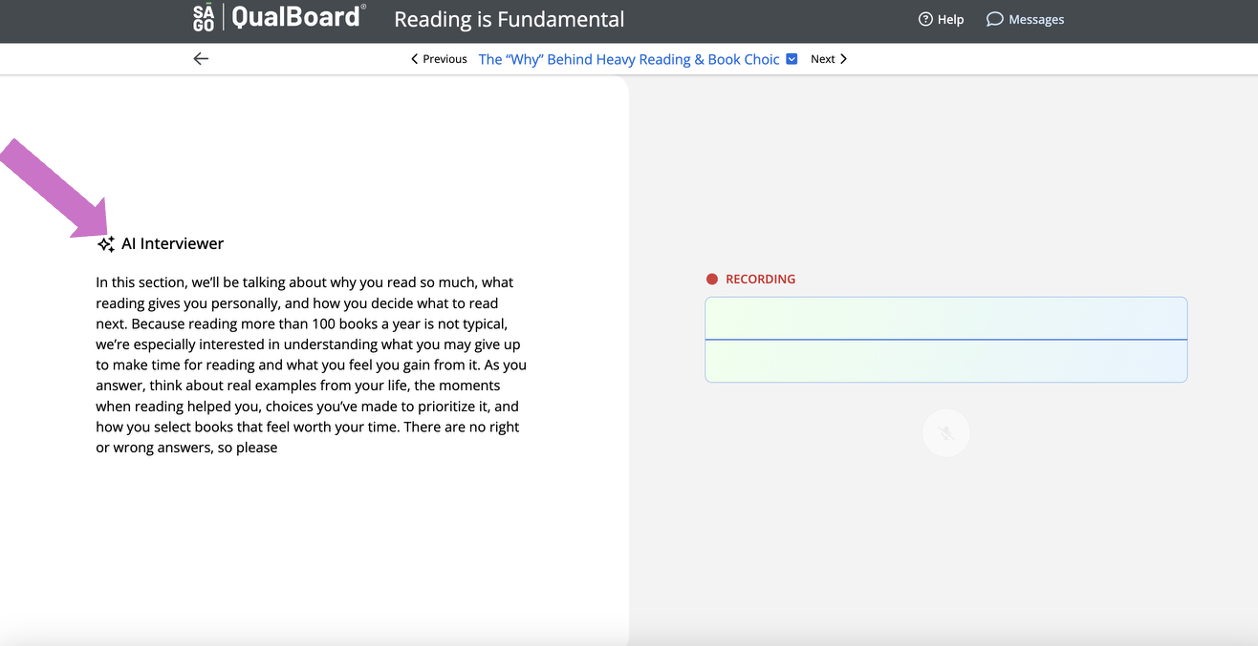
All messages from the AI Interviewer will appear on the left side of the screen. You will hear the question and will be able to read the question.
4 of 7
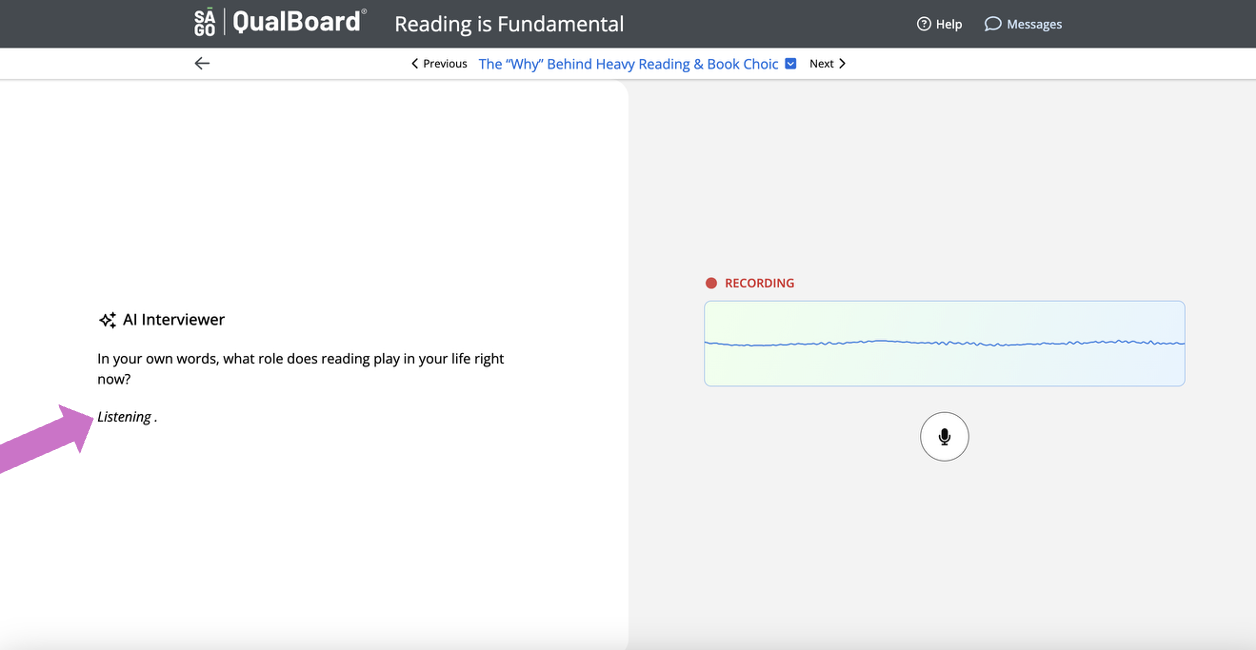
While you're responding to the AI Interviewer, you'll see that the is listening to your response.
5 of 7
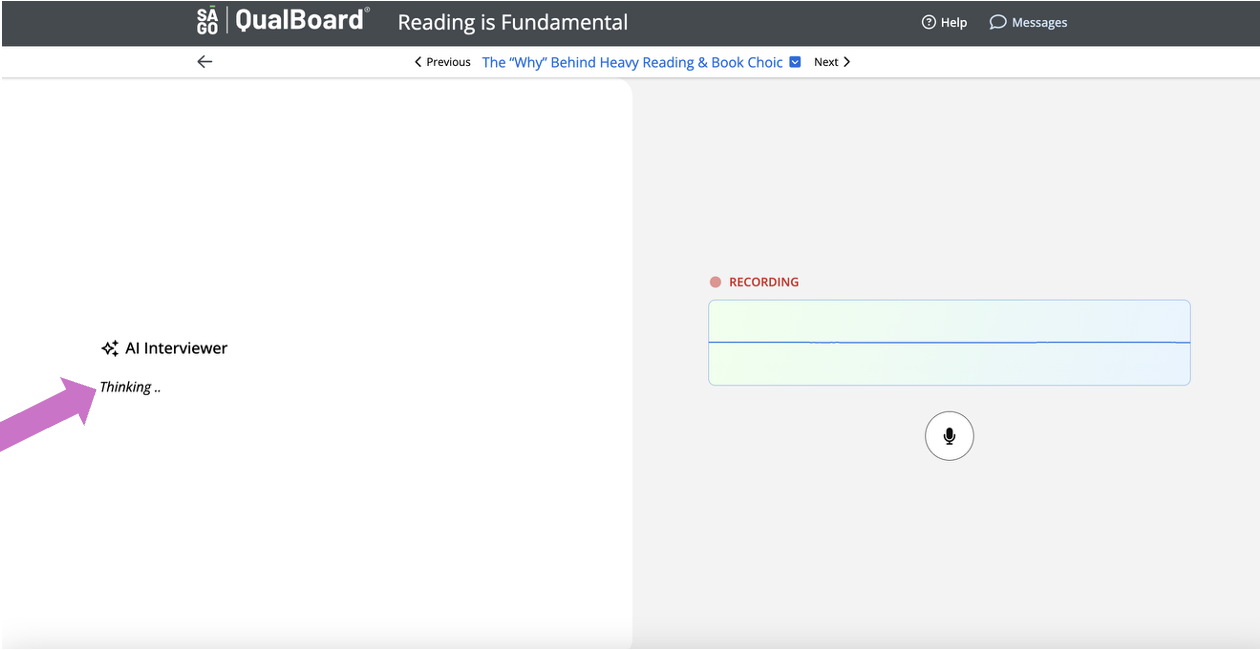
After your response, the AI Interviewer may take a few seconds before asking another question. During this pause, you'll see that the interviewer is thinking.
6 of 7
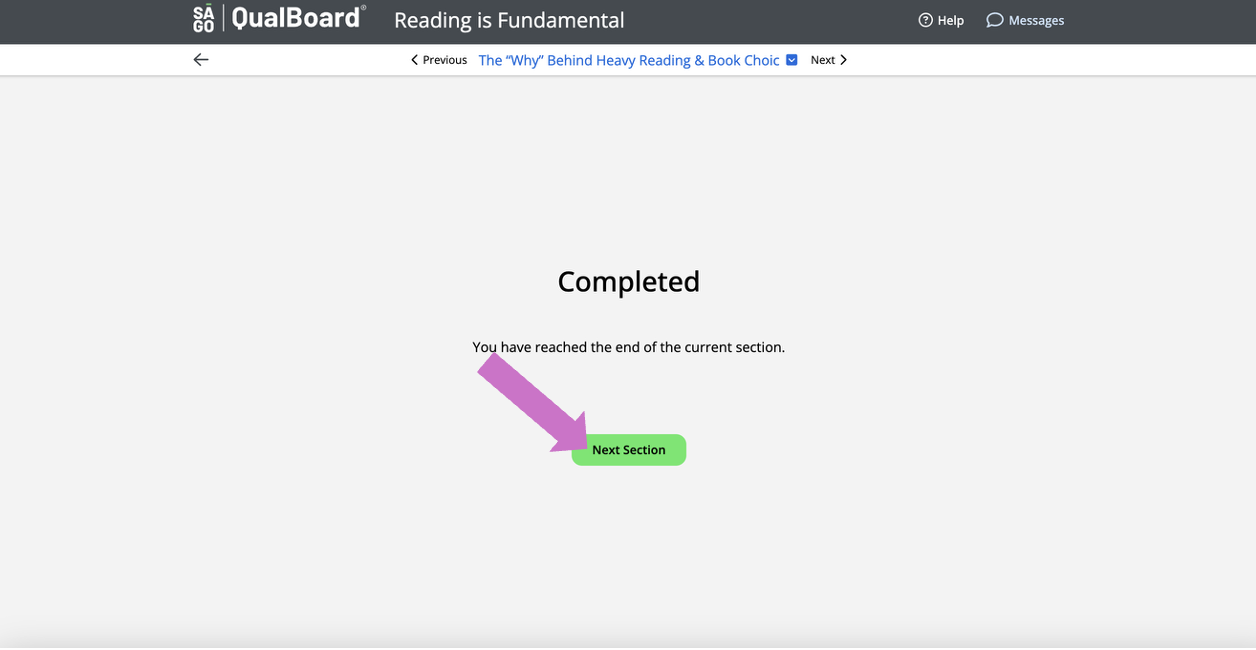
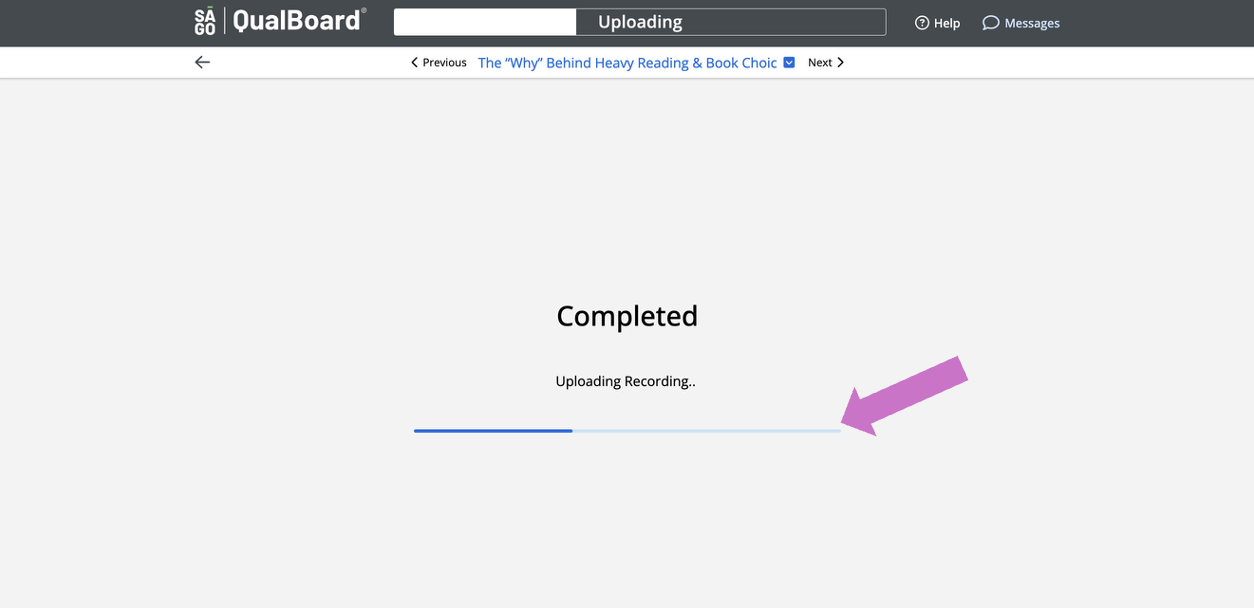
After answering all of the questions, you'll see a completed screen. Wait on this screen until your recording fully uploads.
7 of 7
After answering all of the questions, you'll see a completed screen. If you have more sections to go through you can click Next Section to continue or you can return to your dashboard.